See what your agent builds.
Live.
LiveMap runs next to your AI coding agent and shows every file, function, route and table it touches, as it happens. Follow the build, see why each change was made, and rewind to any moment.
No install needed for the demo. It replays a real agent session in your browser.
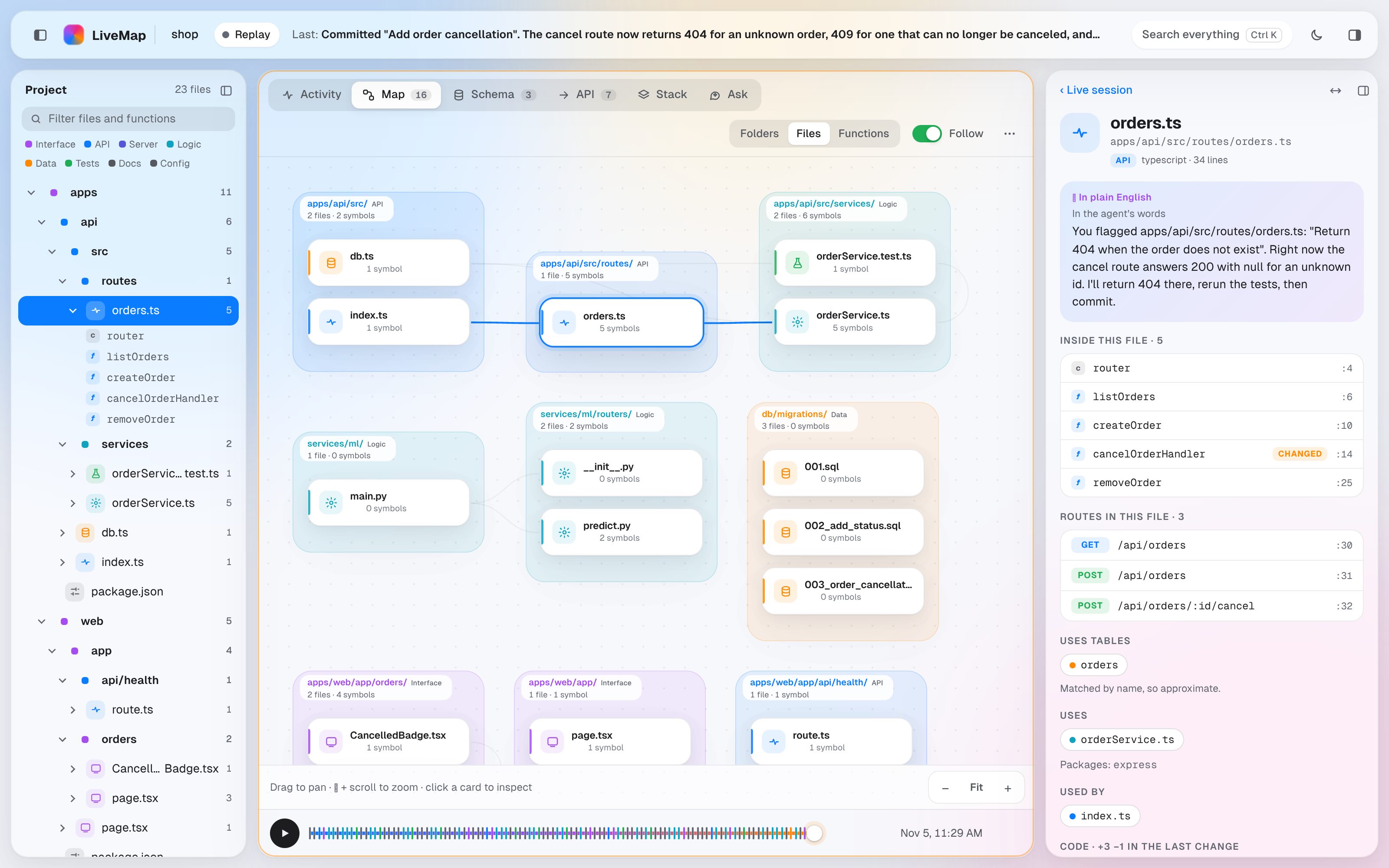 Watch the replay
Your agent's work, made visible.
A diff tells you what changed. LiveMap shows you how it all fits together, and why.
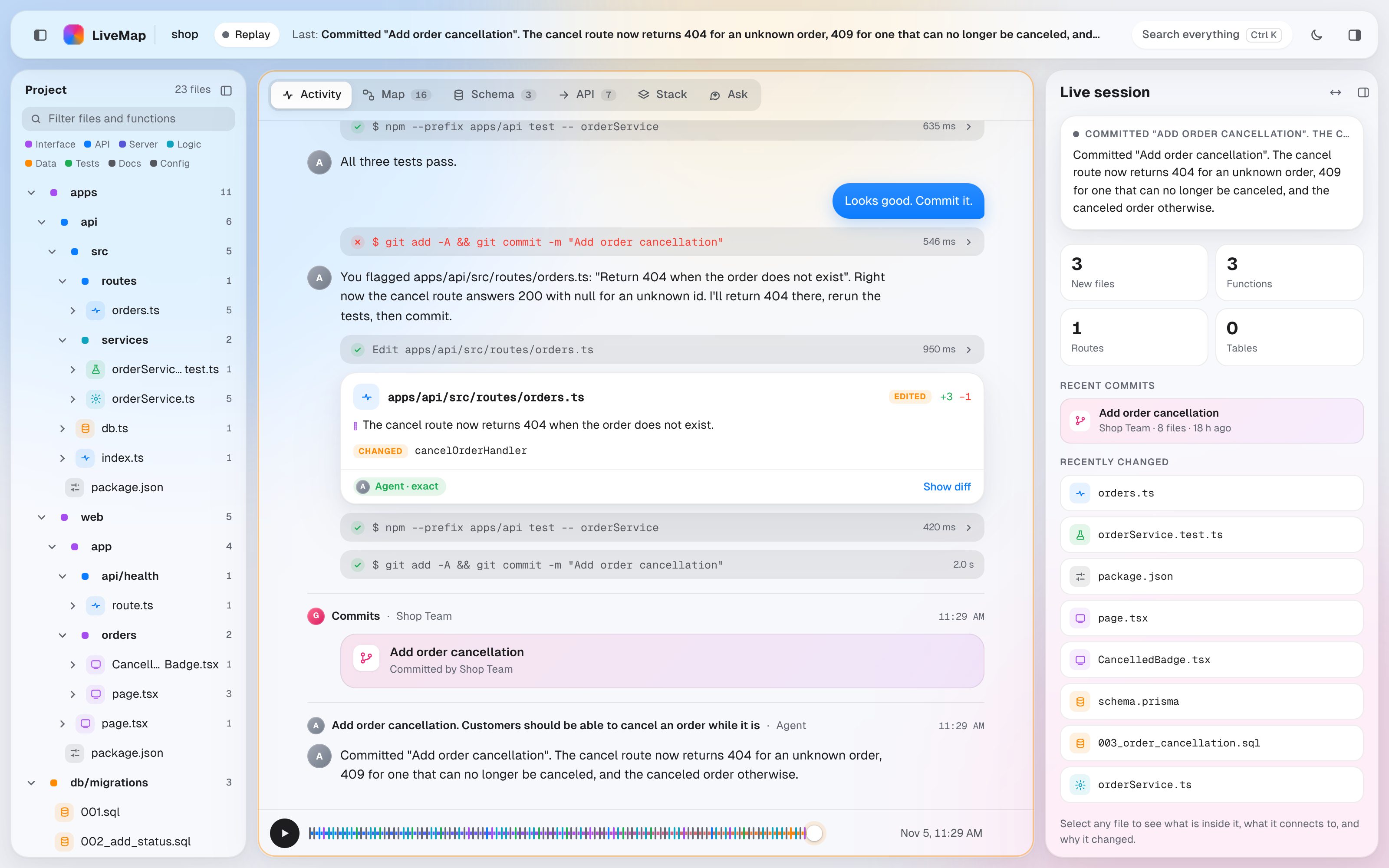
Watch every change as it happens.
The Activity feed shows the agent's prompts, messages and tool calls, with a card for every change it makes.
- Functions, routes and tables added, changed or removed
- The diff one click away
- Each change linked to the prompt behind it
See how it all fits together.
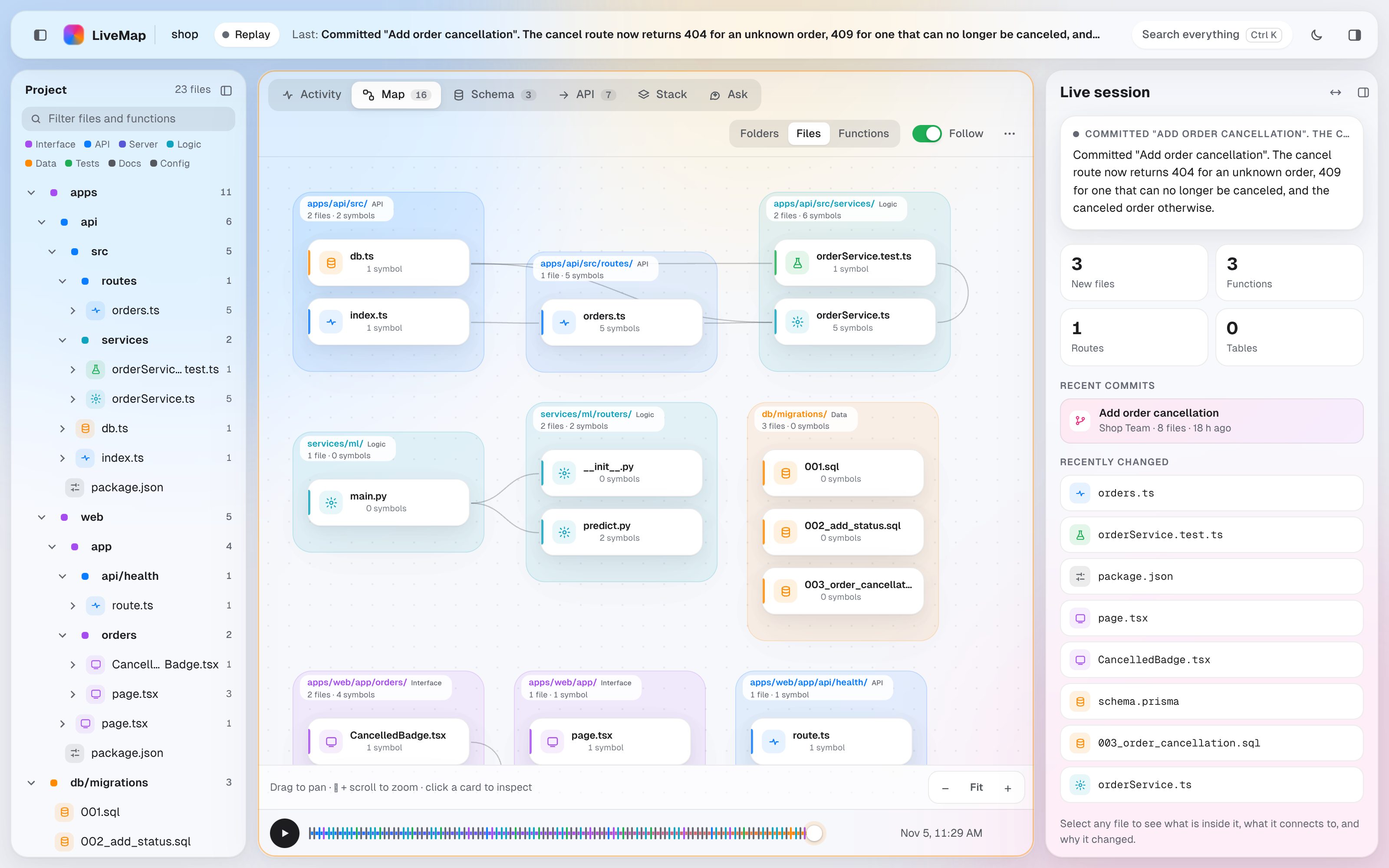
Every file becomes a card on a map, grouped by folder and linked by imports. The map grows while the agent works, and the camera follows along.
- Folders, files or functions, at any zoom
- The file being written lights up
- Click a card to see what is inside it and why it changed
Rewind to any moment.
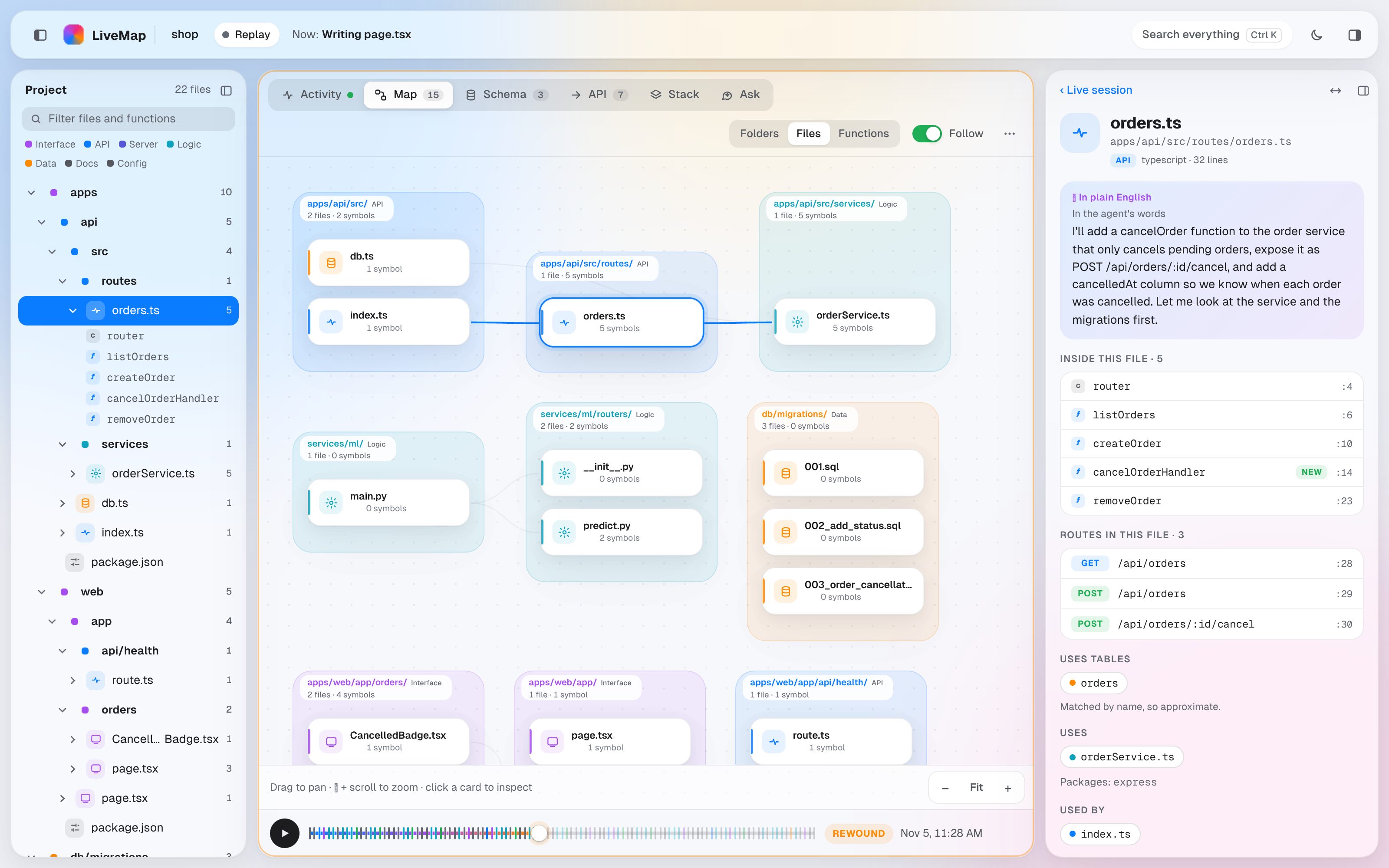
Drag the timeline back and the whole project shows as it was then: the feed, the map, the schema and the routes. Or press play and watch the session again.
- Find the step where something went wrong
- Replay a session for a teammate
- Export it as one HTML file anyone can open
Schema
The tables your code defines and how they relate.
API
Every route, traced from endpoint to handler to table.
Stack
Frameworks, dependencies and environment variable names.
Steering
Flag a file with a note, or pause the agent, right from the map.
Up and running in a minute.
Run these in the project your agent works on.
Install
One package from npm. Or skip this and use npx.
Connect your agent
Adds small hooks for the coding agents it finds, so LiveMap hears every prompt and tool call.
Start and build
Opens LiveMap in your browser. Then work with your agent as usual and watch it build.
Needs Node 20 or later. Works on macOS, Windows and Linux.
Questions, answered.
Which coding agents does it work with?
livemap --pull.Does my code leave my machine?
~/.livemap, and from .env files it keeps only the key names, never the values. Plain-English summaries are optional; if you turn them on, code goes only to the AI provider you choose.Is it free?
Do I have to change how I work?
Can I share a session with my team?
livemap export writes the whole session as one HTML file that anyone can open offline, like the live demo on this site. Add --no-code to leave out file contents and diffs.Can I stop the agent when something looks wrong?
See it for yourself.
Watch a real agent add a feature to a small shop app, then try LiveMap on your own project.